

You know accessibility belongs in the website. Your client? Not so sure.
Maybe they think it only matters for big companies or government sites. Maybe they assume it will blow up the budget. Or maybe it just feels less urgent than launching, getting leads, and keeping the lights on.
None of that means they don’t care about their customers. Most of the time, nobody has shown them how accessibility connects to what they already want from their website. Most business owners (and plenty of designers) were never taught much about accessibility beyond alt text and color contrast.
So skip the WCAG lecture and start with the questions your client already cares about. Can people find what they need? Can they read the content and fill out the form? Can more potential customers actually use what we built?
Every one of those is an accessibility question. Once a client sees that, accessibility stops looking like an optional extra and starts looking like a natural part of the process.
In This Article
Why Clients Push Back on Accessibility
Lead With What Your Client Already Cares About
Talk About SEO Without Overpromising
Connect Accessibility to the Customer Experience
Show How Building It In Saves Rework
Stop Pricing Accessibility as an Optional Add-On
A Simple Way to Talk About Accessibility
What Not to Say When Selling Accessibility
Make Accessibility Part of Your Process]]]
Why Clients Push Back on Accessibility
When a client says accessibility isn’t a priority, what they actually mean is,
“I don’t see why my business needs this.”
“This is going to cost more, isn’t it?”
“Isn’t that just for government websites?”
“My customers don’t need that.”
“I already have plenty of things to pay for.”
That isn’t a client who doesn’t care. It’s a client who hasn’t seen the value yet, which is a much easier conversation to have.
You also don’t need to quote Success Criterion 1.4.3 while they’re looking at their homepage mockup. They need to know the light tan text on the beige background is hard to read, and that people who can’t read it won’t stick around. Start with the problem. Bring in the technical side only when it helps.
Lead With What Your Client Already Cares About
Accessibility exists to remove barriers for people with disabilities. That purpose shouldn’t get lost when we talk business. You just need to learn how to tie them together.
W3C's business case for digital accessibility discusses benefits such as extending market reach, improving user experience, strengthening technical quality, supporting innovation, enhancing brand reputation, and reducing legal risk. (w3.org). Your client doesn’t need to care about all of them. They only need to care about one.
A boutique owner might light up when you point out that more shoppers can browse products, read the descriptions, and get through checkout without hitting a wall. A busy dental office may care most about patients booking appointments through the online scheduler instead of calling the front desk. A contractor who just paid for a new site probably wants the quote request form working for every homeowner who lands on it, not a rebuild six months after launch. Find the reason that fits their business and lead with that.
Talk About SEO Without Overpromising
SEO gets a client’s attention fast, so it’s tempting to pitch accessibility as a SEO strategy. Accessibility isn’t a Google ranking factor, and an accessible site won’t automatically climb the search results.
But there is real overlap. Google’s own search guidance recommends descriptive link text, useful alt text, and clear page titles. Clear headings make a page easier to scan for visitors and easier for search engines to understand. Descriptive links tell everyone where they’re headed (goodbye, “click here”). Good alt text describes informative images for people who can’t see them and gives search engines context at the same time.
So instead of promising “Accessibility will boost your rankings,” try this.
“Accessibility and SEO are different, but some of the same good habits support both. Clear content, useful links, meaningful image descriptions, and solid structure make your site easier to understand, for bots, and humans.”
Seems like an obvious move, doesn’t it?
Connect Accessibility to the Customer Experience
For most clients, this is where it clicks. They care whether people can use the site. A visitor who can’t submit the contact form is a lost inquiry, no matter why the form failed them.
Common barriers rarely affect just one group. Low color contrast is hard for people with low vision, and for anyone squinting at their phone in a parking lot on a bright day. Unclear form labels trip up screen reader users, and they also leave everyone else guessing what goes in the box. Videos without captions shut out Deaf and hard-of-hearing visitors, along with the person watching in a waiting room with the sound off.
Accessibility won’t guarantee more sales. It does give more visitors the chance to buy something though.
What You Can Say to a Client
You don’t need a big speech. A sentence or two that connects accessibility to what your client already wants usually does more than any statistic. Here are a few to keep in your back pocket.
“We’re already putting work into getting people to your website. Accessibility helps make sure more of them can actually use it once they’re there.”
“If someone can’t fill out your contact form, that’s a lead you never hear about. Let’s make sure the form works for everyone who tries it.”
“Readable text and clear buttons help every visitor, whether they have low vision or they’re checking your site on their phone in the sun.”
“Captions mean your videos still get the message across, even when someone is watching with the sound off.”
“Clear headings and descriptive links help visitors find what they need faster, which means fewer frustrated clicks and lower bounce rates.”
“Building this in now means we make these decisions once, instead of paying to fix them after launch.”
“Accessibility shows customers you thought about them before they ever got in touch. That’s a great first impression.”
Show How Building It In Saves Re-work
Accessibility feels expensive when it shows up after everything is approved. The colors are final, the pages are built, the forms are connected, and the videos are recorded. Then someone spots the problems, and suddenly design decisions get reopened, templates change, and the scheduling plugin the client loves has to go.
Think about a kitchen remodel. If you decide you want an outlet by the coffee station while the walls are open, the electrician adds it in a few minutes. Decide after the new tile backsplash is up, and now someone is cutting into tile you just paid for. Same outlet, very different bill.
Websites work the same way. Choosing color combinations that pass contrast before the build, styling buttons and links before they’re copied across 20 pages, and vetting forms and plugins before the client depends on them means making those decisions once.
W3C notes that addressing accessibility during development or a redesign takes less work than fixing an existing site later. So the pitch shifts from “Accessibility costs extra” to “Let’s get these decisions right while we’re already building.”
What If the Site Is Already Built?
Very few websites were built with accessibility in mind. Millions of sites went live without anyone thinking about keyboard access, contrast, or form labels, because most designers were never taught it and most business owners didn’t know to ask. So if your client’s site falls into that group, it isn’t a crisis. Everything on a website can be fixed. It just doesn’t all have to happen at once.
Start with the priority user flows, meaning the paths visitors take to do business with your client. That might be finding a service and calling, filling out the contact form, booking an appointment, or getting through checkout. Walk through each one with a keyboard and look for anything that stops a visitor cold.
Those barriers come first, because a beautifully updated blog archive won’t help much if nobody can submit the quote request form.
Easy fixes can happen at the same time. Adding alt text, rewriting vague link text, cleaning up headings, and adjusting a few colors are quick changes that improve every page they touch. Bigger items, like rebuilding a custom form, fixing a menu that doesn’t work with a keyboard, or replacing a third-party tool, can be planned in phases that fit the client’s budget and your schedule.
When you talk with the client, keep it simple: “Let’s start with the parts of your site that bring in business, knock out the quick fixes, and keep improving from there.” It’s a manageable plan, and every step makes the site easier for more people to use.
Stop Pricing Accessibility as an Optional Add-On
Take a look at your proposals. If they look like this, we have a problem.
Website Design: $5,000
Accessibility: +$1200 (optional)
What do you think a budget-conscious client is going to cut? You told them it was optional, and they believed you.
The basics belong in every build, no extra line item needed.
Accessible color combinations
Logical headings
Meaningful link and button text
Visible keyboard focus
Properly labeled form fields
Appropriate alt text
Usable navigation
Those are simply good website decisions.
Specialized work is different. A full WCAG audit, screen reader testing, PDF remediation, user testing, or fixing an existing site takes extra expertise and time, so it can have its own scope and price. What doesn’t work is knowingly building barriers into a new site and offering to remove them for a fee.
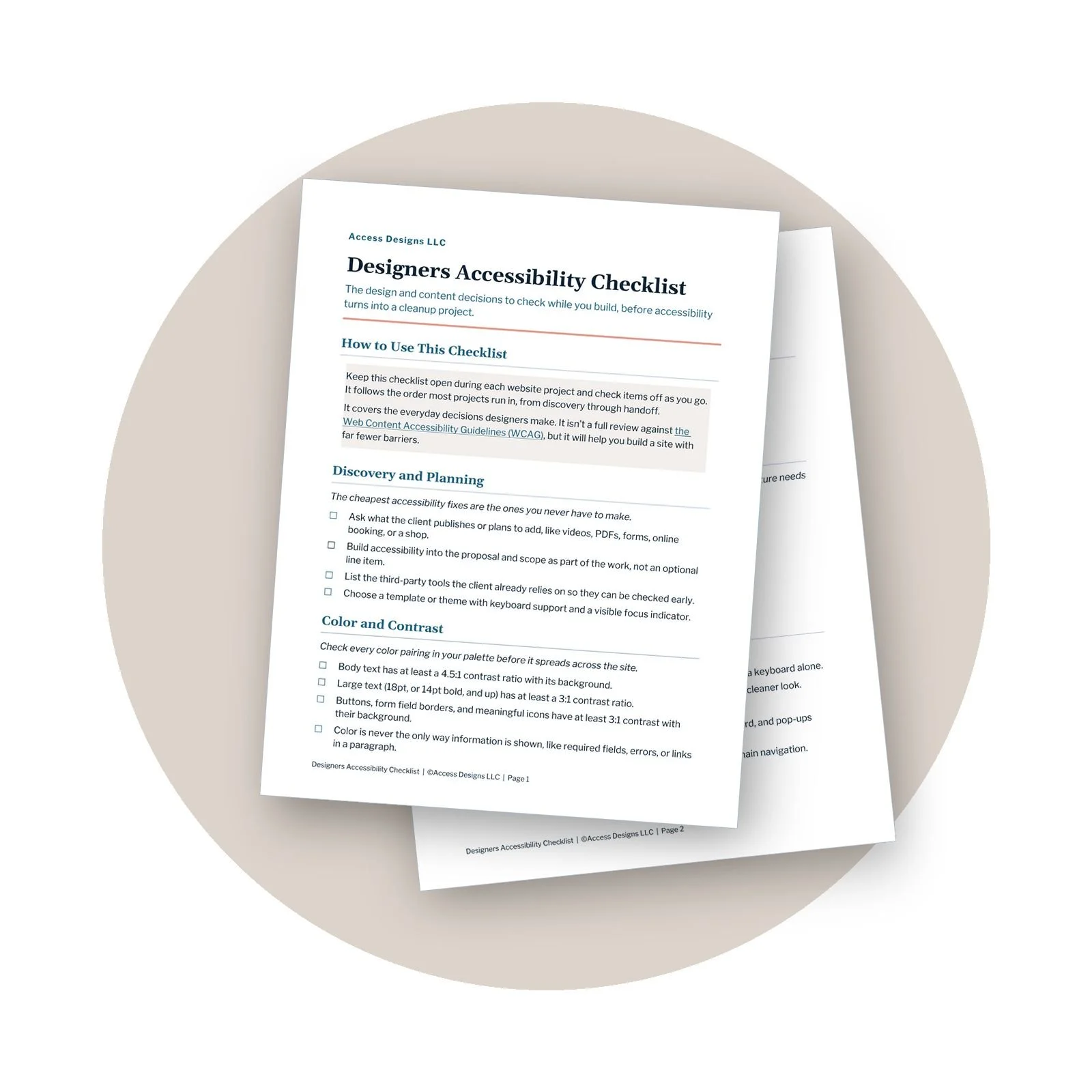
Designers Accessibility Checklist
Want an easier way to build accessibility into client websites?
Our Accessible Designer Checklist walks through the design and content decisions to check while you work, before accessibility turns into a cleanup project.
A Simple Way to talk about Accessibility
Every client is different, but when someone is hesitant, try this. It moves from what the client gains to how easy it is to get there.
Start With Access
“We want as many of your potential customers as possible to be able to use the site.” This keeps the real purpose of accessibility front and center from the first sentence.
Connect It to Usability
“Clear navigation, readable content, and forms that make sense make it easier for customers to reach out or buy.” Now accessibility is tied to the experience the client is already paying for.
Mention the SEO Overlap
“Some of these practices also line up with SEO best practices, like clear content, descriptive links, and good structure.” A nice bonus, with no ranking promises attached.
Finish With Efficiency
“We’re already building the site, so this is the easiest time to get these decisions right instead of rebuilding later.”
By the end, accessibility looks like part of a stronger website, not a random upsell.
What Not to Say When Selling Accessibility
Some pitches create more resistance than interest. These are the ones to avoid.
“If you don’t do this, you’re going to get sued.” Scare tactics put people on the defensive, and you can’t predict that anyway.
“Accessibility will boost your SEO.” The overlap is real, but accessibility isn’t a ranking strategy.
“This will make your site fully compliant.” Websites change every time content gets added or a plugin updates.
“We can just add a widget later.” Overlays don’t fix the design, content, code, forms, or navigation underneath.
“It’s just alt text and color contrast.” That’s a small slice of accessibility, and selling it as that simple sets everyone up for surprises later.
And while “Accessibility is better for everyone” is true and a great point, don’t let it replace the reason accessibility exists, which is removing barriers for people with disabilities.
Make Accessibility Part of Your Process
The easiest accessibility conversation doesn’t feel like a sales pitch at all. Ask what kinds of content the client publishes during discovery. Talk contrast while you review their color palette, bring up captions when they mention video, and check accessibility before anyone falls in love with a scheduler or plugin. When it shows up in your design standards and comes up as decisions happen, it’s part of how you build websites instead of an awkward talk saved for right before the proposal gets signed.
You also don’t have to do it all yourself. Accessibility is its own field, with its own training and tools. Build accessible practices into your work, and bring in an accessibility partner when a project needs manual reviews, assistive technology testing, remediation, or document accessibility. Being the designer, developer, auditor, and screen reader expert all at once is a lot of hats, even for those of us used to wearing several.
Your client gets a website more people can use. You get a process that doesn’t leave accessibility to chance. And instead of a scramble after launch, it’s simply part of how you build.
We helps small businesses build websites that are accessible, clear, and easier for EVERYONE to use from the start. If you want a professional review of your site’s accessibility, we’d love to take a look.

Selling Website Accessibility FAQs
How do I convince a client that website accessibility matters?
Connect it to the client’s actual website goals. Explain how accessibility affects whether customers can read content, navigate pages, complete forms, watch videos, and take important actions. You can also mention its overlap with SEO practices, the wider customer reach, and the cost of fixing preventable problems later.
Does website accessibility help SEO?
Accessibility itself isn’t a Google ranking factor. Some accessibility practices do overlap with SEO best practices, though, including useful alt text, descriptive links, clear content, and logical structure.
Should accessibility cost extra on a web design project?
Basic accessible design practices should be part of professional web design, not an optional upgrade. Specialized services such as a full accessibility audit, assistive technology testing, remediation, accessible document work, or user testing can have a separate scope and fee.
What if my client’s website is already built?
That’s the case for most websites, and it’s not a problem. An accessibility review identifies the barriers, and fixes can be prioritized so the most important issues are handled first.
What if my client refuses to prioritize accessibility?
Document your recommendations and be clear about which decisions may create barriers. Offer better options, but remember the client makes the final business decision. It’s also worth deciding ahead of time which accessibility standards you won’t compromise on in work that carries your name.
Other Top Posts
Digital Accessibility Tips Every Web Designer Should Know
Which Web Accessibility Role Is Right for You?
Top 5 Website Accessibility Myths Busted

A beginner-friendly guide to captions, transcripts, subtitles, and audio description — so you always know which features your video needs, and how to create them without guesswork.
What You'll Get
What each feature does, and when you need it
A simple way to decide what your video needs
A step-by-step production workflow
Caption and transcript quality checklists
Beginner-friendly tool comparisons, free and paid
Links to official step-by-step tool tutorials
A plain-language standards reference
A pre-publish testing checklist
Beautifully designed, fully accessible PDF
Key Benefits
No technical experience required
Works with any video platform or editor
Built around free and low-cost tools
Instant download after purchase
Important
This is a digital product delivered via instant download. Due to the nature of digital products, all sales are final and not eligible for returns or refunds.
Personal use only
Licensed for individual use and cannot be resold, shared, or redistributed. Each purchase is for single-user access only.