Hiring a web designer can feel a little like buying a car when you do not know much about engines. Everyone sounds confident. Everyone says they can help. And once the contract is signed, it can be hard, expensive, and stressful to back out if you realize they were not the right fit.
That is especially true when accessibility comes up.
A lot of designers will say they care about accessibility. Far fewer can explain what that actually means in a real project. Some treat it like an extra service. Some reduce it to a few surface-level fixes. Some lean on automated tools and call it done. And some simply use the word because they know business owners are starting to ask about it.
If you are hiring a designer, you do not need to become an accessibility expert overnight. But you do need to know how to vet the person you are trusting with your website.
The good news is that a few smart questions can tell you a lot.
In This Article
Why accessibility should come up before you hire a web designer
A simple way to tell if a designer really understands accessibility
Why accessibility should come up before you hire a web designer
Accessibility is not something that should be patched in after the site is built. It affects how people move through your website, read your content, use your forms, understand your calls to action, and contact your business.
In other words, this is not just about checking a box. It is about whether your website works for your customers.
That includes people who use screen readers, keyboards instead of a mouse, captions, zoom, or other assistive tools. It also includes busy customers trying to quickly find an answer, someone watching your content while commuting, or someone who is tired and simply needs an easy customer journey to get what they need.
When a designer understands accessibility, they usually build better websites overall. The site tends to be clearer, easier to use, and more thoughtful from the ground up. When they do not, problems often show up later in ways that cost you time, money, and missed opportunities.
That is why the hiring process matters so much.
Question 1: How do you build accessibility into your process from the start?
This is the first question to ask because it reveals how the designer thinks.
You are listening for signs that accessibility is part of their normal workflow, not an upgrade they tack on later. A strong answer should make it clear that they think about accessibility during planning, design, content structure, development, and testing.
A weak answer usually sounds vague. They may say something like, “Yes, we can make it accessible,” without explaining how. Or they may position accessibility as an optional add-on that costs extra because it is outside their usual process.
That is a red flag.
If accessibility is treated like a separate feature, it often gets pushed to the end of the project, where it becomes more expensive and harder to do well.
What a good answer sounds like
A good answer might include things like
They plan page structure with clarity in mind. They think about headings, buttons, forms, navigation, color contrast, image descriptions, and keyboard use early on. They understand that accessibility is connected to design decisions, content decisions, and development decisions.
They do not need to recite technical standards at you for this answer to be solid. But they should be able to explain their process in plain language.
What a red flag sounds like
Be cautious if you hear
“We can add accessibility later if needed.”
“Most of our clients do not ask for that.”
“We use a plugin or widget for accessibility.”
“We run a scan at the end and fix whatever it finds.”
Those answers usually mean accessibility is not really built in.
Question 2: How do you test whether a website is actually accessible?
This question separates people who talk about accessibility from people who practice it.
Many designers know enough to mention accessibility in a sales call. Fewer can explain how they check their work.
You want to hear that they do more than rely on automated scans. Automated tools can be helpful, but they only catch part of the picture. A website can pass a tool and still be frustrating or impossible for someone to use.
A designer who takes accessibility seriously should be able to talk about testing in practical terms.
What to listen for
Good signs include testing with a keyboard, checking page structure and headings, reviewing forms and error messages, verifying color contrast, and checking how content works with screen readers or assistive technology.
They should also mention manual review, quality checks during development, and revisiting accessibility after content is added.
That matters because accessibility problems do not only come from code. They can also come from how content is written, organized, or uploaded.
What to watch out for
Be careful if the answer leans too heavily on one tool, one plugin, or one promise like, “Our software handles that.”
Accessibility is not something you outsource to a button.
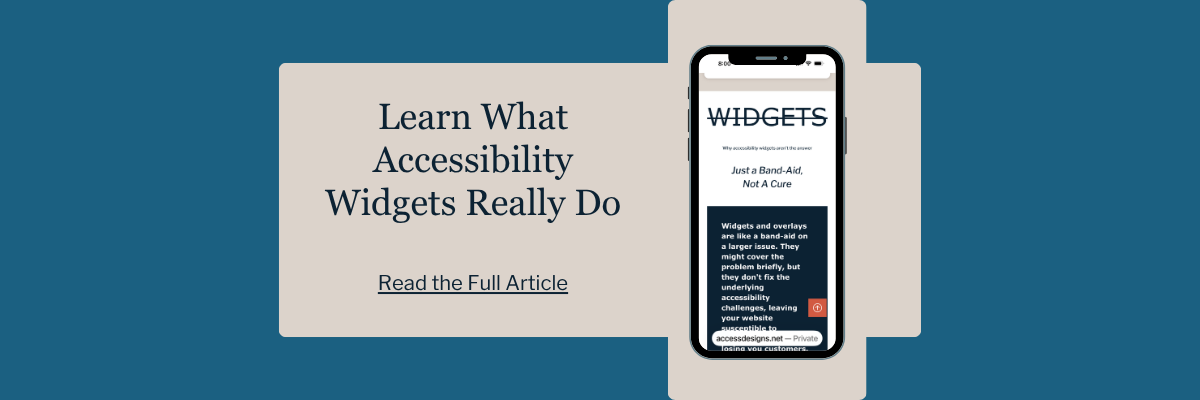
If a designer recommends an accessibility widget or overlay as the main solution, that is a sign they may not understand accessibility at the level your business needs. Real accessibility work happens within the website itself.
Question 3: Can you show me examples of websites you have made more accessible?
For this question, you do not need an answer with perfect case study documentation and technical diagrams. But you should ask for real examples.
A confident, experienced designer should be able to talk about accessibility decisions they have made on past projects. Maybe they improved navigation, made forms easier to complete, fixed structure issues, improved contrast, or helped a client organize content more clearly.
This question matters because it moves the conversation from theory to proof.
Anyone can say, “We care about accessibility.” Fewer can say, “Here is how we handled it on an actual website.”
What a strong answer looks like
A strong answer includes specifics. Maybe they explain how they made service pages easier to navigate. Maybe they talk about improving booking forms so they were easier to complete. Maybe they describe how they made a site easier to use for keyboard users or how they corrected heading structure so screen reader users could move through the page more easily.
You are not looking for perfection. You are looking for evidence that they have done this work thoughtfully before.
What if they do not have a lot of accessibility examples?
That does not automatically mean you should walk away. But it does mean you should ask more questions.
If they are newer to accessibility, are they honest about that? Are they willing to collaborate with an accessibility specialist? Do they understand the limits of their experience?
Honesty matters here. A designer who says, “This is not my strongest area, but I bring in help when needed,” is far more trustworthy than one who overpromises.
Question 4: Who is responsible for accessibility after launch?
This is one of the most overlooked questions, and it can save you a lot of frustration later.
A website is not a static brochure. It changes. You add new pages, upload PDFs, swap images, post blogs, update offers, and edit service descriptions. All of that can affect accessibility over time.
So, before you sign a contract, ask what happens after launch.
Will the designer give you guidance on how to keep your content accessible? Do they offer training, support, or reviews? Will they explain what you and your team need to be careful about when updating the site?
A good designer will not pretend accessibility is “done forever” the day the site goes live.
Why this matters for business owners
Most small business owners are not trying to make their websites harder to use. They just have not been shown what to watch for.
Maybe someone uploads an image without meaningful alt text. Maybe headings get used out of order because they “look right.” Maybe a PDF is added without considering whether it is usable with assistive technology. These things happen all the time.
The right designer will help you avoid that situation by building a solid foundation and giving you practical guidance for what comes next.
Question 5: What happens if accessibility is not your specialty?
This might sound like a strange question, but it is one of the most useful.
Not every good designer is an accessibility specialist. That is okay.
The real issue is whether they know that and how they handle it.
A trustworthy designer should be able to tell you where their expertise ends. If accessibility is not their strongest area, do they bring in a specialist? Do they partner with someone who can review the work? Do they build with accessibility in mind and get expert support where needed?
Their answer to this question will show you if they care more about doing the job well than protecting their ego.
The answer you do not want
You do not want a defensive answer.
If someone acts annoyed that you asked, brushes it off, or insists accessibility is easy without explaining anything, take that seriously. The hiring process is usually when people are on their best behavior. If they are dismissive now, it will not get better after the contract is signed.
A simple way to tell if a designer really understands accessibility
A designer who understands accessibility usually talks about it as part of building a better website for everyone. They explain things clearly. They answer without getting vague or overly technical. They talk about process, testing, content, usability, and long-term maintenance.
A designer who does not understand accessibility usually falls back on general promises.
They say the right words, but they cannot explain their approach. They reduce accessibility to colors and alt text. They position it as a side service. Or they point to a tool and act like the tool does the work for them.
You do not have to choose between a great designer and accessibility expertise
Maybe you already found a designer you like. Maybe they are talented, responsive, and a great fit for your brand. But maybe accessibility is not their area of expertise.
That does not mean you need to find a new designer.
The better option may be to bring in support.
Many designers want to do the right thing but do not have deep accessibility experience. That is why partnership can be such a smart solution. Instead of forcing you to choose between the designer you trust and the accessibility support you need, it is often possible to bring both together.
Final thoughts before you sign
Choosing who builds your website is not just about price, timeline, and a designers style. It is more about how your website will work for your future clients.
Asking these five questions can help you avoid vague promises, surface-level fixes, and expensive surprises later. More importantly, it can help you choose someone who builds with care, clarity, and real understanding, whether that is one designer or a designer and accessibility professional partnering together to build your accessible website.
Hiring a Web Designer FAQs
Is it a red flag if a web designer offers accessibility as an add-on?
It’s more of an orange flag. It is an opportunity for you to ask more questions. They may have it as an add on because they out source those services, which is ok as long as they are upfront and honest about it.
Can automated tools guarantee a website is accessible?
No. Automated tools can help spot some issues, but they cannot fully evaluate real user experience. Accessibility testing requires manual and user testing to ensure full compliance.
Should I hire a designer who is not an accessibility expert?
Possibly, if they are honest about their limits and willing to partner with an accessibility specialist. What matters most is that they do not pretend to know more than they do, as that can put your business at risk.
Are accessibility widgets enough?
No. Widgets and overlays are not a substitute for building accessibility into the website itself. They often times interfere with the assistive technology that disabled users rely on to access online content.
Already found a designer you love, but you are not sure they have a deep understanding of web accessibility ? That is okay.
We partner with web designers and business owners to help make accessibility part of the process, not a last-minute patch. So if you want to keep working with your designer and add experienced accessibility support, we can help make that happen.
We helps small businesses build websites that are accessible, clear, and easier for EVERYONE to use from the start. If you want a professional review of your site’s accessibility, we’d love to take a look.