Top 5 Website Accessibility Myths Busted
There is a lot of bad advice floating around about website accessibility — and it is costing business owners time, money, and customers.
Some of it sounds harmless. Some sounds genuinely helpful. Some of it is sold as a quick fix. But the end result is usually the same: business owners get confused, put off the changes that would actually help, or spend money on solutions that don’t work.
The problem is that these myths make accessibility feel confusing, expensive, or more limiting than it needs to be. Business owners may assume accessibility only applies to certain users, that it will ruin the look of their website, or that one simple tool can handle everything for them.
But when accessibility gets overlooked, small barriers can quietly get in the way.
The tricky part is that many of these barriers are easy to miss if you are only reviewing your website visually. A site can look polished, modern, and professional while still being difficult for some customers, clients, and users to navigate.
Keep reading to learn the five common accessibility myths that can hurt your website’s usability, conversions, and overall customer experience.
In This Article
Myth #1: Accessibility Is Only for Blind Users
Myth #2: Accessibility Will Make My Website Look Boring
Myth #3: Accessibility Is a One-Time Fix
Myth #4: Website Accessibility is Too Expensive
Myth #5: Accessibility Widgets or Overlays Solve the Problem
What Happens When You Stop Believing These Accessibility Myths
Myth #1: Accessibility Is Only for Blind Users
This is one of the most common myths, and it narrows the conversation in a way that does not match reality.
Yes, accessibility absolutely includes people who are blind or have low vision. But true accessibility covers a much wider range of needs, including deafness and hearing loss, limited mobility, speech disabilities, cognitive and learning disabilities, photosensitivity, and a variety of other impairments or disabilities.
Website barriers show up in many different ways.
A visitor might need captions on a video. Someone else might not use a mouse and instead move through your site with a keyboard. Someone might need clear form labels and helpful error messages because they use screen readers, speech input, or simply need more support while completing tasks online.
This is why accessibility is not just about one group of users or one type of fix. It is about removing barriers across the whole experience.
A simple example is a contact form. If the fields are not labeled properly, if required fields are unclear, or if the form just reloads without explaining what went wrong, that is not only frustrating for someone using assistive tech. It is frustrating foreveryy customer. And when that happens, people leave.
Accessible websites tend to feel more usable overall. Better headings, clearer buttons, stronger form cues, keyboard access, and readable content usually help everyone, not just people who identify as disabled.
Myth #2: Accessibility Will Make My Website Look Boring
This one comes up a lot, especially with business owners and designers who care deeply about their branding.
There is often a fear that accessibility means giving up personality, creativity, or visual style.
But accessible design does not mean boring design.
In many cases, accessibility improvements take place behind the scenes and make a website simply function better. Clearer spacing, stronger contrast, better heading structure, readable fonts, and obvious buttons can improve the overall experience without taking away from the brand.
A website can still feel polished, modern, warm, bold, creative, or high-end while also being easier to use.
The goal is not to strip away the design. The goal is to make sure the design supports the customer’s experience instead of getting in the way.
Myth #3: Accessibility Is a One-Time Fix
Accessibility is not something you check once and never think about again.
A website changes over time.
You might add a new page, update your navigation, install a plugin, change your colors, upload a PDF, add a form, post a video, or redesign part of the site.
Any of those updates can introduce new accessibility issues.
That does not mean you need to panic every time you make a change. It does mean accessibility should be part of your ongoing website maintenance.
Some common updates that can create new issues include
Adding images without helpful alt text
Uploading inaccessible PDFs
Creating new pages with skipped heading levels
Changing brand colors without checking contrast
Adding forms without proper labels or error messages
Installing plugins that create keyboard or screen reader barriers
Embedding videos without captions or transcripts
Even if your website was accessible at one point, new issues can creep in over time.
The best approach is to treat accessibility as part of your regular website care, just like SEO, security, content updates, and performance.
Myth #4: Website Accessibility Is Too Expensive
Many business owners put off accessibility because they assume it will be too expensive.
And yes, accessibility work can be more involved depending on the size of the site, how it was built, how many issues are present, and whether documents, forms, videos, or third-party tools are involved.
But accessibility does not always mean rebuilding your entire website from scratch.
In many cases, the best place to start is with an audit. An audit helps identify what is actually creating barriers, what should be fixed first, and what can be handled in phases.
That way, you are not guessing, making random updates, or spending money on fixes that may not solve the real problem.
Some accessibility improvements may be simple, like adjusting color contrast, improving button text, adding better headings, or fixing missing form labels. Other issues may require more technical work, especially if they involve keyboard access, error handling, code structure, PDFs, or third-party plugins.
The cost depends on the website, but ignoring accessibility can also become expensive.
It can lead to missed inquiries, abandoned forms, lost sales, frustrated users, and in some cases, legal risk. It can also mean spending money on quick fixes, widgets, or redesigns that do not actually address the underlying barriers.
Accessibility is an investment in making your website easier to use, easier to trust, and easier to take action on. And for many small businesses, starting with the highest-impact fixes is much more realistic than trying to do everything all at once.
Myth #5: Accessibility Widgets or Overlays Solve the Problem
This is the myth that wastes the most money.
If you have ever been promised that a single widget can make your website accessible overnight, that is exactly the kind of claim you should be cautious of.
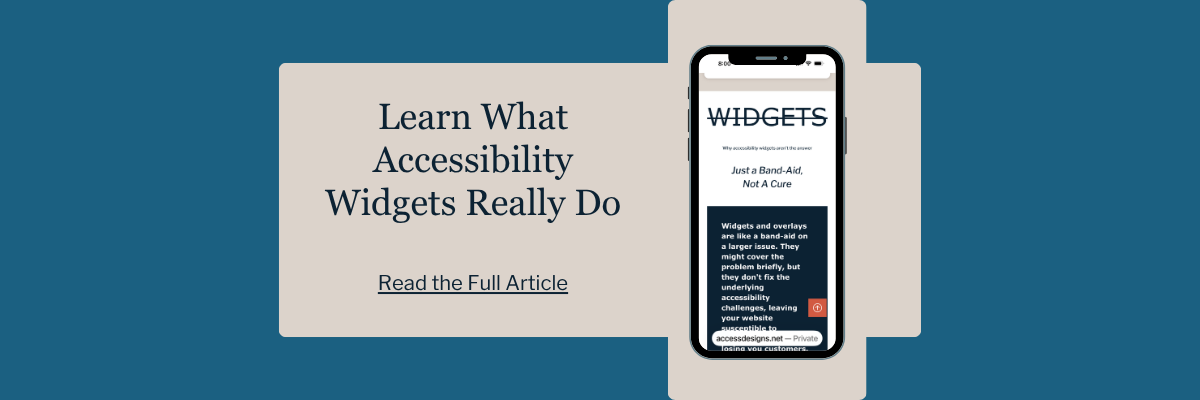
The problem is simple. Overlays sit on top of a website. They do not magically rebuild the structure underneath it. If the site has broken forms, poor keyboard access, missing labels, bad heading structure, confusing focus order, or other code-level issues, a widget cannot reliably fix all of that. There is even evidence that some overlay solutions have made websites less accessible for people using assistive technology.
That lines up with another important reality: automated tools are helpful, but they are limited. Automated testing does not catch everything, and it is recommended to use both automated and manual testing to improve coverage and accuracy.
A widget may look like an easy solution, but accessibility cannot be fully handled by a single add-on. Your website’s design, structure, content, code, forms, media, and documents all need to work together.
If your site has accessibility barriers, the better solution is to identify the actual issues and fix them at the source.
What Happens When You Stop Believing These Accessibility Myths
When you move past the myths, website accessibility becomes a lot less overwhelming.
It is not about ruining your design, checking one box, installing a quick fix, or trying to make everything perfect overnight. It is about understanding where your website may be creating barriers and making thoughtful improvements that help more people use it.
Those improvements can affect the entire customer experience.
Clearer headings make pages easier to scan.
Better color contrast makes content easier to read.
Descriptive buttons and links help users know what to do next.
Accessible forms make it easier for people to contact you, book an appointment, request a quote, or complete a purchase.
And yes, accessibility can also support better SEO, stronger usability, and lower legal risk.
But the bigger picture is
an accessible website simply works better.
It helps customers, clients, and users move through your site with less confusion and fewer roadblocks.
It makes your business easier to reach.
It creates a better experience for the people already trying to connect with you.
Website accessibility is not just a technical checklist. It is part of building a website that is useful, trustworthy, and easier for more people to use.
Website Accessibility FAQs
What is the biggest myth about accessible websites?
The biggest myth is probably that accessibility is only for blind users. In reality, web accessibility supports people with a wide range of visual, hearing, mobility, speech, cognitive, and neurological disabilities. But in making improvements for users in the disabled community, you are also improving the experience for every other visitor who lands on your website.
Is alt text enough to make a website accessible?
No. Alt text is only one part of accessibility. A website also needs things like keyboard access, clear headings, accessible forms, readable content, and helpful error handling.
Do accessibility widgets make websites compliant?
No. Overlays cannot automatically detect or fix every issue, and some have been found to create new problems for assistive technology users.
Can automated accessibility tools catch everything?
No. Automated tools are useful, but they do not catch every issue. It is recommended to combine automated and manual testing for better coverage and accuracy.
Why should small businesses care about website accessibility?
Because accessibility affects whether people can use your website. It also improves usability more broadly, which helps real visitors complete tasks, contact you, and trust your business.
We helps small businesses build websites that are accessible, clear, and easier for EVERYONE to use from the start. If you want a professional review of your site’s accessibility, we’d love to take a look.