When to Stop DIY-ing and Hire a Website Accessibility Professional
If you run a small or mid-size business, you are likely used to wearing many hats. You might be the CEO, the lead of customer service, and the occasional web editor. Updating your site by swapping images, posting new blogs, or refreshing your service descriptions is a normal part of business maintenance. It feels good to have that control, and for many basic tasks, a DIY approach is perfectly fine.
However, there is a specific point where managing your own website accessibility stops being a cost-saving measure and starts becoming a significant business risk.
Some parts of your website are more complicated because they affect whether someone can complete an important task. If a visitor cannot submit your form, book an appointment, buy from you, request a quote, or access key information, something is getting in the way of your business.
That is a good time to bring in a professional.
The goal is not to make accessibility feel scary or impossible. It is to help you understand where your time and money is best spent, where DIY work can help, and where guessing can create more problems and the loss of customers.
In This Article
Website Accessibility Fixes You Can Usually Do Yourself
Where DIY Website Accessibility Starts to Get Hard
When to Hire a Website Accessibility Professional
What a Website Accessibility Professional Actually Does
Why Accessibility Widgets Are Not Enough
How to Decide What to Do Yourself and What to Outsource
Website Accessibility Fixes You Can Usually Do Yourself
There are several accessibility updates that many business owners can handle on their own, especially if they are already comfortable making basic edits inside their website platform.
These are usually content-level fixes. In other words, you are improving the information on the page, not rebuilding how the website works behind the scenes.
For example
You may be able to clean up your page headings. A good heading structure helps visitors understand what the page is about and move through it more easily. Your page should have one clear main heading, followed by section headings that make sense in order. This is helpful for accessibility, but it also makes your page easier for everyone to scan.
You can also improve unclear button and link text. “Click here” or “Learn more” may feel harmless, but those labels do not explain what will happen next. A clearer link like “View Our Services” or “Book a Consultation” gives people more context before they click.
Alt text is another area where business owners can often make progress. The key is to think about the purpose of the image. If the image adds important information, the alt text should explain the useful part. If the image is only decorative, it usually should not be announced by a screen reader at all. You do not need to describe every tiny visual detail. You need to help someone understand what matters.
You may also be able to simplify page copy, improve color contrast, replace image-only graphics with real text, or move important information out of a PDF and onto a regular web page.
These are all practical improvements that can make your site easier to read, easier to navigate, and easier to maintain.
Where DIY Website Accessibility Starts to Get Harder
DIY accessibility work becomes harder when the issue is not just about the words or images on a page.
This usually happens when your website has forms, scheduling tools, checkout pages, custom features, popups, filters, dropdown menus, membership areas, or anything else visitors need to interact with.
These pieces may look simple on the front end, but there is more happening behind the scenes. A form, for example, is not accessible just because it looks clean. Each field needs a clear label. Instructions need to stay visible. Required fields need to make sense. Error messages need to tell people what went wrong and how to fix it. The form should also work for someone using a keyboard instead of a mouse and screen reader users.
The tricky part is that many accessibility problems are not obvious just by looking at the website. A form can look fine and still be difficult or impossible for some people to use. A popup can look polished but trap someone who is navigating with a keyboard. A booking tool can seem convenient but create barriers if it is not built to be accessible.
This is why automated scans and plugins can only take you so far. They may catch some issues, but they cannot fully tell you whether a real person can move through your website smoothly from start to finish.
When to Hire a Website Accessibility Professional
A good rule of thumb is this, if the issue affects whether someone can complete an important action on your website, it is worth getting professional help.
That does not mean every small issue needs a full audit or rebuild. It means you should be careful with anything connected to leads, sales, scheduling, intake, payment, or client access.
Hire a Pro If Your Website Has Forms
Forms are one of the top issues when it comes to website accessibility.
This includes contact forms, quote request forms, intake forms, application forms, payment forms, and booking forms. The more important the form is to your business, the more important it is that the form works for everyone.
Even simple contact form can still have problems. A required field may not be announced properly. A label may not be connected to the right field. An error message may only show up in red without explaining what needs to be fixed. The tab order may jump around in a confusing way. A dropdown or date picker may not work well without a mouse.
For a visitor, those problems are frustrating. For your business, they can mean lost inquiries, missed appointments, and fewer completed requests.
Hire a Pro If Your Site Uses Scheduling, Checkout, or Client Portals
Scheduling tools, payment systems, checkout flows, client portals, and account areas deserve extra attention because they are tied directly to conversion and customer service.
If someone is ready to book or buy, that part of the experience needs to be as smooth as possible. Accessibility issues here do not just create inconvenience. They can stop the person from becoming a customer.
This is especially important if you use third-party tools. A scheduling embed, payment processor, chat tool, map, popup, or CRM form may not be fully controlled by your website builder. Even if the rest of your site is well organized, one difficult tool can create a barrier right where people are trying to take action.
A professional can help you review the full path, not just the page design.
Hire a Pro If Your Website Has Custom Features
Custom design and custom development can be great for your brand, but they also need to be handled carefully.
Features like tabs, accordions, sliders, filters, popups, custom menus, calculators, and interactive sections often need more than a visual review. They need to be checked for keyboard access, focus order, clear labels, predictable behavior, and whether the interaction makes sense for people using assistive technology.
This is where DIY fixes can become frustrating. You may be able to change the color or wording, but not the way the feature actually works.
If your website has custom functionality and you are not sure whether it is accessible, that is a good reason to bring in someone who knows what to look for.
Hire a Pro Before a Website Redesign or Rebuild
One of the best times to hire an accessibility professional is before you redesign your website.
It is much easier to build accessibility in from the start than to fix problems later. When accessibility is treated as an afterthought, businesses often end up paying for the same work twice. First they pay for the design or build. Then they pay again to correct issues that could have been prevented.
Bringing in the right help early can guide decisions around layout, colors, headings, navigation, forms, plugins, and content structure. That makes the final website stronger, easier to use, and easier to maintain.
What a Website Accessibility Professional Actually Does
A good accessibility professional helps you understand what is working, what is creating barriers, and what should be fixed first.
They can review important user paths, like moving from your homepage to your service page to your contact form. They can test forms and interactive features in ways an automated scan cannot. They can help you understand whether an issue is a content problem, a design problem, a platform limitation, or something that needs development support.
Just as important, they can help you prioritize.
Not every issue has the same impact. A missing alt text on a decorative image is not the same as a broken booking form. A slightly unclear section heading is not the same as a checkout process someone cannot complete. Professional guidance helps you focus your time and budget where it matters most.
That is especially important for busy business owners. You do not need a long list of technical problems with no clear next step. You need honest guidance about what you can handle yourself and what needs expert support.
Why Accessibility Widgets Are Not Enough
A lot of business owners look for a simple solution because they are busy. That makes sense. You have clients to serve, staff to manage, and a business to run.
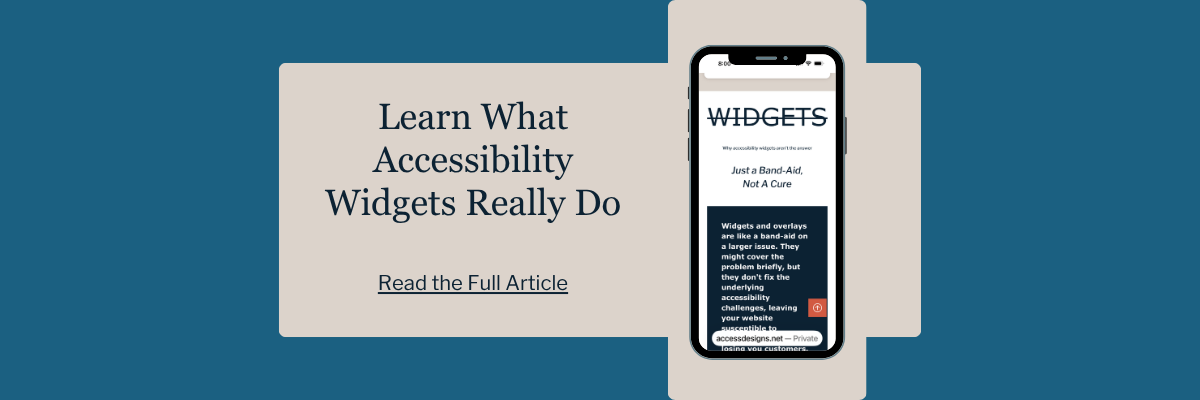
But accessibility widgets and overlays are often marketed as if they can solve accessibility for you, and that is misleading.
They do not rebuild your forms.
They do not fix poor heading structure.
They do not make a confusing checkout process simple.
They do not correct every issue inside a third-party tool.
They also do not replace thoughtful design, clean development, clear content, and real testing.
Accessibility needs to be part of how the website is built and maintained. It is not something you can fully layer on top after the fact.
The solution should match the real problem. Sometimes that is a content cleanup. Sometimes it is form testing. Sometimes it is a larger redesign. But it should be based on what your website actually needs, not a quick fix that sounds easier than it really is.
How to Decide What to Do Yourself and What to Outsource
A helpful way to decide is to look at the role each part of your website plays in your business.
If you are editing content on a basic page, you may be able to handle that yourself. This includes updating headings, improving link text, reviewing image alt text, simplifying copy, or making sure important information is not trapped inside an image or PDF.
If the issue affects how people move through your site or complete an action, it may be time to get help. This includes forms, menus, booking tools, payment steps, popups, custom features, and anything connected to conversions.
If you ask yourself, “If this part of my website does not work well, could I lose a customer?”
If the answer is yes, it’s time to hire a professional.
We helps small businesses build websites that are accessible, clear, and easier for EVERYONE to use from the start. If you want a professional review of your site’s accessibility, we’d love to take a look.
When is the Best Time to Get Accessibility Help?
The best time to get help is anytime.
That might be before you launch a new website, before you add online booking, before you rebuild your service pages, or before you invest in a custom feature. It may also be after you have made the basic fixes yourself and realize you might need more help.
Or it could be right now. You might feel good about your website and things seem to be converting okay, but you are hearing more and more about website accessibility and you want to know if your website could use any improvements.
You do not have to wait until you’re redesigning your website, and you definitely SHOULD NOT wait until someone complains or worse you get a demand letter.
Any time is the right time to look into how website accessibility can improve your customers experience with your brand.
Website Accessibility FAQS
Can I fix website accessibility issues myself?
Yes, some accessibility improvements can be handled yourself, especially content updates like improving headings, writing clearer link text, adding thoughtful alt text, simplifying copy, and moving important information onto regular web pages. More technical issues, especially forms and custom features, usually need professional review.
What website accessibility issues should a small business not DIY?
You should be careful with anything that affects important user actions. Forms, booking tools, checkout pages, client portals, popups, dropdown menus, and custom interactive features are better handled with professional support because they can affect whether someone can actually use your site.
Are accessibility scanners enough to check my website?
No. Automated tools can be helpful, but they are not enough on their own. They can catch some common issues, but they cannot fully test whether your website is easy to use in real life, especially for forms, keyboard navigation, custom features, and full customer journeys.
Do I need a full website redesign to improve accessibility?
Generally, no. A professional can help you understand what can be fixed now, what should be monitored, and whether a larger redesign makes sense.
Is website accessibility only for people who are blind?
No. Accessibility makes your website better for everyone. It helps people with visual impairments, hearing impairments, cognitive disabilities, and limited mobility, but it also helps someone with a temporary injury (like a broken arm), people using lower quality devices or with poor internet service, or an older user who needs larger text and clear navigation. It is about creating a smoother user experience for all visitors.
How do I know if a web designer actually knows accessibility?
Ask them if they build accessibility in by default or if it’s an "extra" upgrade. A true professional will have it integrated into their process from the start. Also, ask their opinion on widgets; if they recommend an overlay as a primary solution, they likely don't understand real accessibility.