Health and wellness websites are often built to feel calming, welcoming, and trustworthy. That makes sense. Whether you run a therapy practice, fitness studio, medical spa, wellness clinic, or nutrition business, your website is often the first impression someone gets of your brand.
But there is a problem we see again and again: websites in this space may look polished while still creating unnecessary barriers for their clients.
A new patient cannot complete an intake form. The beautifl and calming color palette is difficult to read. Someone using a screen reader gets lost because the page structure is confusing. A Google Map is embedded, but there is no written address or clear directions. A downloadable PDF pricing sheet, waiver, or packet is impossible to use with assistive technology.
On a health and wellness website, accessibility barriers can block someone from booking care, finding your office, understanding your services, or completing next steps independently.
In This Article
Why accessibility issues are so common on health and wellness websites
Why inaccessible PDFs cause problems
Form accessibility issues on health and wellness websites
The problem with embedded maps
How poor heading structure impacts your website visitors
Ignoring low color contrast is losing you customers
Why one-off accessibility fixes are not enough
A simple accessibility check for health and wellness websites
Why accessibility issues are so common on health and wellness websites
Health and wellness businesses often rely on websites that do a lot at once. They introduce services, build trust, collect leads, share forms, answer common questions, and show office locations.
That creates a perfect storm for accessibility problems.
Most sites in this industry include online booking tools, intake paperwork, embedded maps, promotional graphics, service pages, class schedules, and downloadable resources. When those pieces are added without an accessibility-first approach, the result is a site that may work well for some visitors and completely exclude others.
This matters because accessibility is not just about one group of users. Clear structure, readable text, properly labeled forms, and usable directions make the experience better for everyone. Correcting these common accessibility issues can also improve your website SEO.
Why inaccessible PDFs cause problems
PDFs are especially common on health and wellness websites. Practices use them for intake packets, consent forms, treatment prep instructions, wellness guides, class schedules, policies, and downloadable handouts.
The problem is that many PDFs are uploaded without accessibility considerations.
Sometimes they are exported from Canva or another design tool without any real document structure. Sometimes they are just image-based files. Sometimes they look fine visually, but they are missing tags, headings, list structure, form fields, or document language settings that assistive technology depends on.
For a health and wellness business, this can become a serious usability issue fast. Imagine a new client trying to complete a health history form that is technically downloadable but not actually usable with a keyboard or screen reader. Or a patient trying to review pre-appointment instructions in a PDF that has no headings, no readable order, and no properly labeled form fields.
What to do instead of relying on inaccessible PDFs
The best fix is often simple: do not put important information only in a PDF.
If your office policies, treatment instructions, class details, or onboarding steps matter, they should also live on a normal web page. Web pages are usually easier to make accessible, easier to update, and easier for users to read on mobile devices.
If you need to provide a PDF, it should be created with accessibility in mind from the start. That means using real headings, real lists, meaningful link text, proper reading order, proper tagging, and accessible form fields before export, not trying to patch it later.
Form accessibility issues on health and wellness websites
Forms are one of the most important parts of a website because they are where intent turns into action.
This is where someone books an appointment, requests a consultation, joins a class, asks a question, downloads a guide, or submits patient information. If the form is hard to use, people will leave your website, and you are losing potential clients.
On health and wellness websites, form problems often look like this
· Missing labels, so a screen reader user hears “edit text” with no context.
Placeholder text used as the only label, which disappears once someone starts typing.
Required fields marked only by color or a tiny symbol with no explanation.
Error messages that are vague, like “something went wrong.”
Booking or intake forms that are difficult to use with a keyboard.
Third-party scheduling tools that do not clearly announce fields, buttons, or errors.
These issues create friction for everyone, but they are especially damaging on sites where people may already be stressed, in pain, short on time, or trying to complete something important before an appointment.
Why form accessibility matters so much in this industry
Health and wellness businesses often serve people during vulnerable moments. Someone may be looking for a therapist, trying to schedule a treatment, asking about accessibility accommodations, or completing paperwork before a procedure.
That is not the time to make them fight with a broken form.
Clear labels, helpful instructions, logical tab order, and specific error messages do more than meet accessibility standards. They reduce stress. They help people complete tasks independently. They make your business easier to trust.
The problem with embedded maps
A lot of health and wellness websites embed a Google Map in their website footer oron the contact page and call it good.
The issue is not that maps are always bad. Google does provide accessibility features for Maps, including screen reader support and keyboard shortcuts. But they are cumbersome to use or skip over.
Also, relying on an embedded map as the only way someone can find your location isn’t sufficient.
If a visitor cannot easily use the map embed, they still need your full address in text, your hours, parking details if relevant, and simple written directions. This is especially important for clinics, spas, therapy offices, yoga studios, and other businesses where someone may be arriving for the first time while anxious, rushed, or using assistive technology.
Better ways to handle maps and directions
A better contact page includes the map as a supplement, with a “skip link” available.
Your address should be written in plain text. Directions should be easy to scan. Parking and entrance details should be included when helpful. And any link to directions should have meaningful link text so users know exactly what it does.
How poor heading structure impacts your website visitors
Heading structure is one of the most overlooked accessibility issues because visually everything looks fine. But for people using keyboard navigation, screen readers, or other assistive technology, your website functions like a book written out of order.
By looking at your website, a page may seem organized. But under the surface, the headings may be out of order, skipped, missing, or used only for styling. That creates a confusing experience.
On health and wellness sites, heading issues often show up on homepages, long service pages, FAQ pages, treatment pages, and blog content. A page may jump from an H1 to an H4. Multiple sections may be bolded to look like headings without actually being coded as headings. Or every headline may be marked the same way, even when the sections clearly have a hierarchy.
Why this matters for health and wellness content
This industry often deals with detailed, sensitive, or decision-making content. Visitors may be comparing services, reading treatment information, reviewing policies, checking pricing, or trying to understand whether your business is the right fit.
If the heading structure is messy, it becomes harder to skim, harder to understand, and harder to navigate
Good headings help everyone move through the page with less effort. They also make your content easier to follow, which is good for usability and good for search visibility.

Ignoring low color contrast is losing you customers
Color contrast problems are especially common on health and wellness websites because the visual style in this industry often leans soft, airy, and minimal.
That is not inherently a problem. The issue starts when brand aesthetics take priority over readability. Light sage text on an off-white background may fit the look of the brand, but if people struggle to read it, the design is working against you.
On health and wellness sites, low contrast often appears in body text, buttons, form instructions, navigation menus, and text placed on top of images.
Where to look for color contrast issues
A lot of business owners check the main paragraph text and stop there. But contrast problems often show up in smaller supporting elements that matter just as much.
Think, appointment buttons, sale banners, form fields, class schedules, and links inside blog posts. If those are hard to read, people miss information and take fewer actions.
It’s important to note that contrast is not just about people with diagnosed visual disabilities. It also affects mobile users in sunlight, older adults, tired users, and anyone dealing with glare or eye strain.
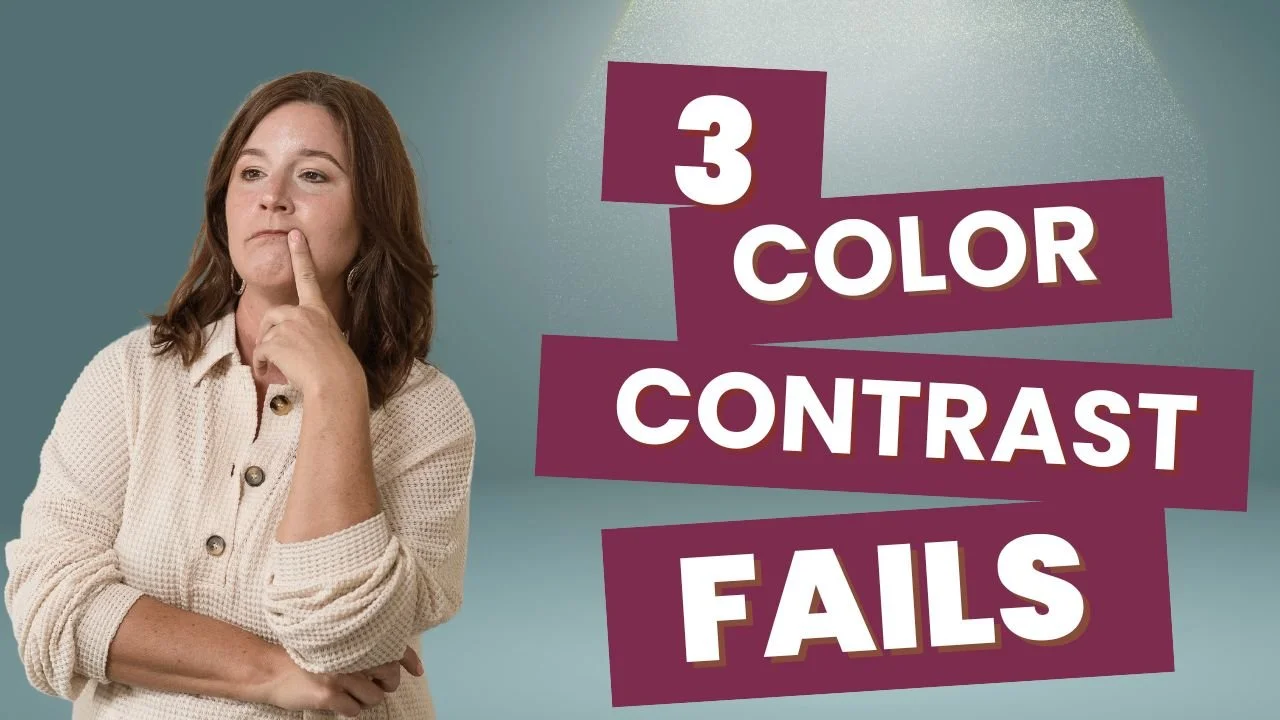
Hidden Color Contrast Mistakes
Learn how to spot and correct 3 of the top website color contrast mistakes.
Why one-off accessibility fixes are not enough
One reason accessibility problems persist is that business owners are often sold isolated fixes instead of a better foundation.
Someone gets told to “fix the PDF.” Someone else tweaks a color. A form plugin is swapped out. A heading gets changed on one page. But the overall experience is still inconsistent.
That is why accessibility works best when it is built in from the start. Your forms, content structure, contact details, downloadable resources, and visual design all need to support each other.
This is also why overlays and widgets are not the answer. They do not fix broken structure, inaccessible PDFs, poorly labeled forms, or weak content hierarchy. They do not replace fixing the core issues.
A simple accessibility check for health and wellness websites
You do not need to know WCAG or run a full audit to spot some of the most common accessibility issues on your website. A good place to start is by asking a few simple questions as you review your pages like a first-time visitor.
Can someone find your address, hours, and directions in regular page text, not just inside a map?
Can someone get your prices, list of services, or class schedule without downloading a PDF first?
When you look at your forms, is there a form label outside each field?
If a form is filled out incorrectly, does the message clearly explain what needs to be fixed?
Is your text easy to read, or does it fade into the background (be honest about this one)?
Do your buttons and links clearly say what they do?
Do your pages feel easy to scan, with clear section titles and a layout that makes sense?
Can someone quickly find the next step, whether that is booking, calling, filling out a form, or getting directions?
If you hesitate on any of those questions, that is usually a sign your website may be creating extra friction for visitors.

We helps small businesses build websites that are accessible, clear, and easier for EVERYONE to use from the start. If you want a professional review of your site’s accessibility, we’d love to take a look.
If you are not sure how to check those things, that is where we come in
Most business owners want to ensure their website is usable for everyone, but they are not sure how to verify it. Maybe you are not sure whether your headings are structured correctly. Maybe you do not know how to tell if a PDF is accessible. Maybe your brand colors look great, but you are not confident they are readable. Or maybe your forms technically work, but you are not sure whether they are easy for everyone to use.
That is exactly the kind of work we help with.
We help small businesses identify the accessibility issues that are easy to miss and fix the ones that get in the way of people using your website. That includes things like heading structure, PDFs, color contrast, forms, contact pages, and the overall experience of moving through your site. Instead of one-off patches or surface-level fixes, we focus on making your website easier to use from the start.
Often times, improving website accessibility does not mean starting over with a full redesign. In many cases, the most important fixes are more straightforward and more affordable than business owners expect. And unlike accessibility overlays or widgets, those improvements address the actual issues instead of putting a bandage over them.
If you want to know what is worth fixing, what can stay, and how to make your website work better for your clients and your business, get a free project quote or book a consultation call to see how we can help.
Health & Wellness Website Accessibility FAQS
Is it ok to have PDFs on my website?
Yes, but they should not be the only place important information lives. If you use PDFs, they need proper structure, tagging, and accessible form fields when relevant. In many cases, the better choice is to put the content directly on a web page as well.
Is embedding a Google Map an accessibility problem?
No, Google Maps includes accessibility features, but an embedded map should not be the only way users can find your location. You should also provide your address and helpful directions in text.
Why are headings so important for accessibility?
Headings help users understand the structure of the page and move through content more easily. Assistive technologies can use headings for navigation, and clear headings also make pages easier for everyone to scan.
What is the minimum color contrast for website text?
Under WCAG 2.2 Success Criterion 1.4.3, normal text needs a contrast ratio of at least 4.5:1 (17pt or smaller), and large text needs at least 3:1. (18pt or larger or 14pt BOLD and larger)
What are the most important form fixes to make first?
Start with proper labels, clear instructions, keyboard usability, and specific error messages. Those changes make forms easier to complete and reduce abandonment.